Your customers already buy everything else online. They order office supplies at midnight, track packages from their phone and reorder groceries with one tap. Then they call your office during business hours, wait on hold, and read a list of item numbers to someone who types them in.
A B2B customer ordering portal closes that gap. It gives each customer a private place to see their own prices, browse their catalog and place orders whenever it suits them, while every order flows into your system exactly like one your rep entered.
This article covers what a portal should include, how it works with your sales team instead of against it, and how to roll one out.
What is a B2B ordering portal?
A B2B portal is a website or app where your business customers sign in to:
- Browse the products you sell them
- See their own prices, promotions and availability
- Place orders and reorder from past orders
- See their order history and invoices
Unlike a public online store, a B2B portal is private. Each customer sees only what applies to them: their catalog, their pricing tier, their terms.
Why distributors add a portal
Orders come in when customers think of them
A store manager notices they're low on an item at 9 p.m. Without a portal, they make a note and maybe remember to call tomorrow. With a portal, they place the order right then.
Fewer phone calls and emails
Every order a customer places on their own is a call your office doesn't have to take and an email nobody has to retype.
Fewer mistakes
When customers enter their own orders from your catalog, there are no misheard item numbers and no handwriting to decipher. Prices are calculated by the system, not looked up by hand.
Reps spend time selling
Reps stop being order-takers for routine reorders and spend their visits on new products, new customers and bigger opportunities.
Will a portal replace my sales reps?
No, and it shouldn't. The best results come when the portal and the reps work together:
- Reps introduce the portal and help customers sign in for the first time.
- Customers use the portal for routine reorders between visits.
- Reps still see every order their customers place, so nothing surprises them.
- Promotions reach both: reps mention them in person, and customers see them in the portal.
Many distributors also count portal orders toward the account rep's commission, so reps have every reason to promote it. (More on that in how to calculate sales rep commissions.)
What a good portal should include
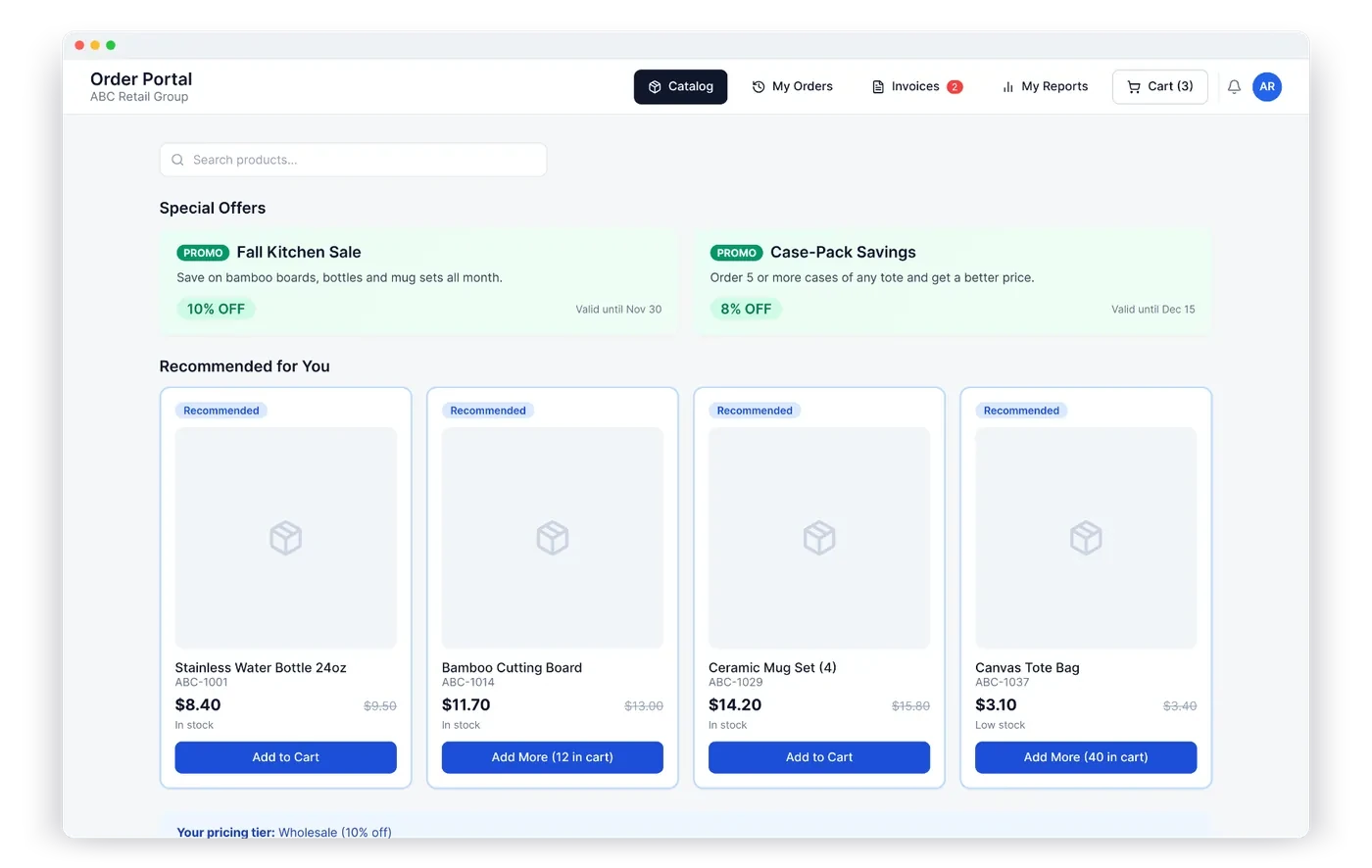
Customer-specific pricing. The portal must show the same price a rep would quote: the customer's tier, any contract prices, quantity breaks and active promotions. See our guide to customer-specific pricing.
A custom catalog. Customers should only see products that apply to them.
Live availability. Showing what's in stock (and what's low) prevents orders you can't fill.
Fast reordering. Order history with one-click reorder is the feature customers use most.
Promotions and recommendations. A "Special offers" section and suggested products turn the portal into a sales tool, not just an order form.
Invoices and history. Customers can find an old invoice themselves instead of asking your office.
A connection to your accounting system. Portal orders should land in QuickBooks, Xero or Odoo automatically, the same way rep orders do.
How to roll out a portal
- Start with your best reordering customers. They benefit the most and give the best feedback.
- Check pricing and catalogs first. The portal makes any pricing mistake visible to the customer, so clean it up beforehand.
- Have reps send the invites. A personal invitation from the rep gets far more sign-ups than a generic email.
- Make the first order easy. Walk the customer through one reorder during a visit.
- Promote it on every invoice and packing slip. A short line like "Reorder anytime at…" keeps it top of mind.
How the Fulfillt Sales customer portal works
The customer portal in Fulfillt Sales is an add-on for your business, with unlimited customer logins.
- Customers see their own prices, promotions and live availability
- Order history, invoices and reorders in one place
- A custom catalog for each customer
- Special offers and recommended products
- Every portal order goes straight to your accounting system, like any other order
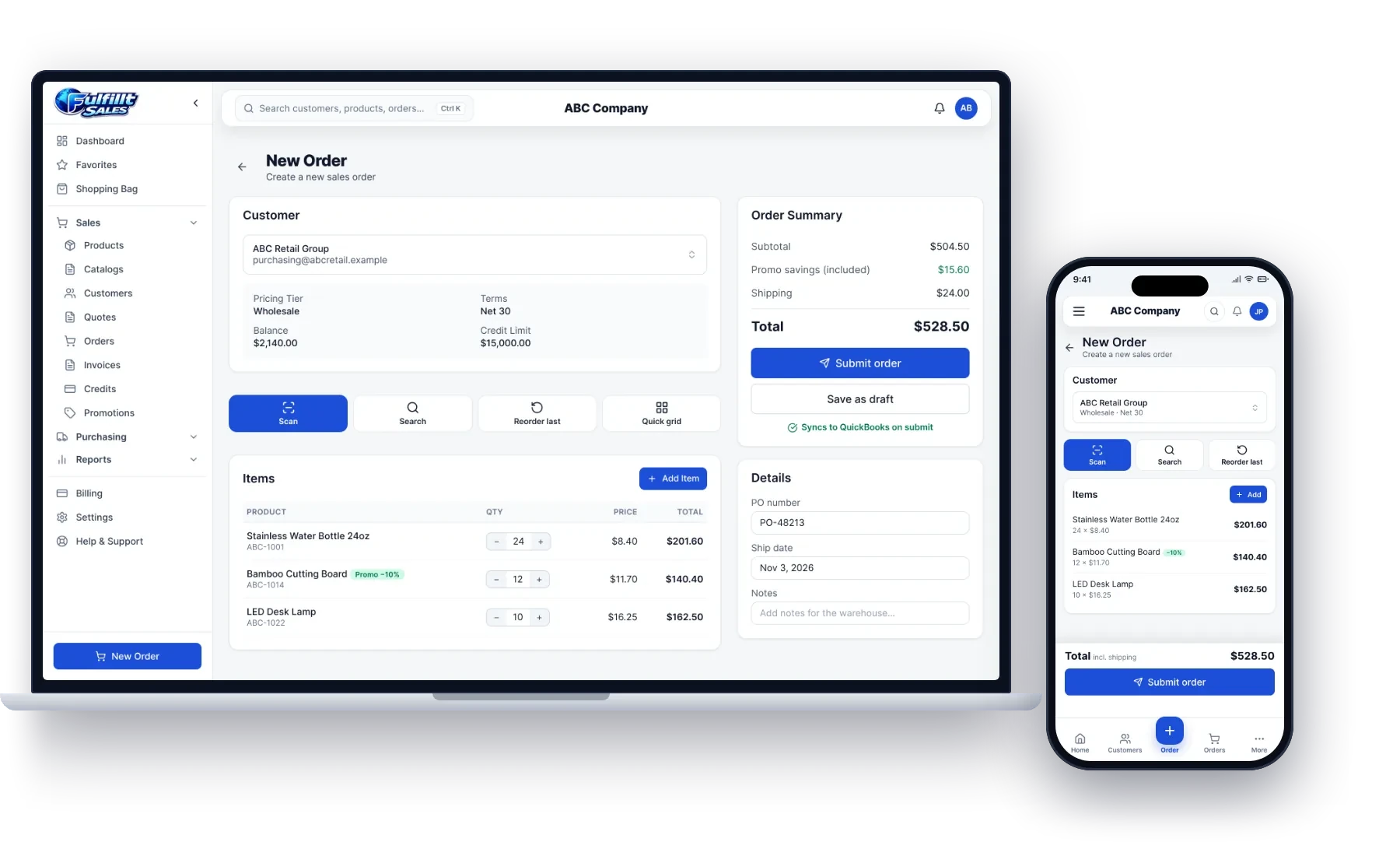
Your reps keep working in the same app, and they see the orders their customers place on their own.
The bottom line
A B2B ordering portal lets customers order the way they already shop everywhere else: on their own schedule, at their own prices. Done right, it reduces phone orders and mistakes and gives your reps more time to sell.