
Order Fulfillment & Delivery
Tracking for QuickBooks
Every QuickBooks order, live — from the pick list to the driver’s signature. Your warehouse works from simple queues, and sales and office see exactly where each order is without picking up the phone.
$149 per warehouse/month · unlimited users · Already a customer? Sign in
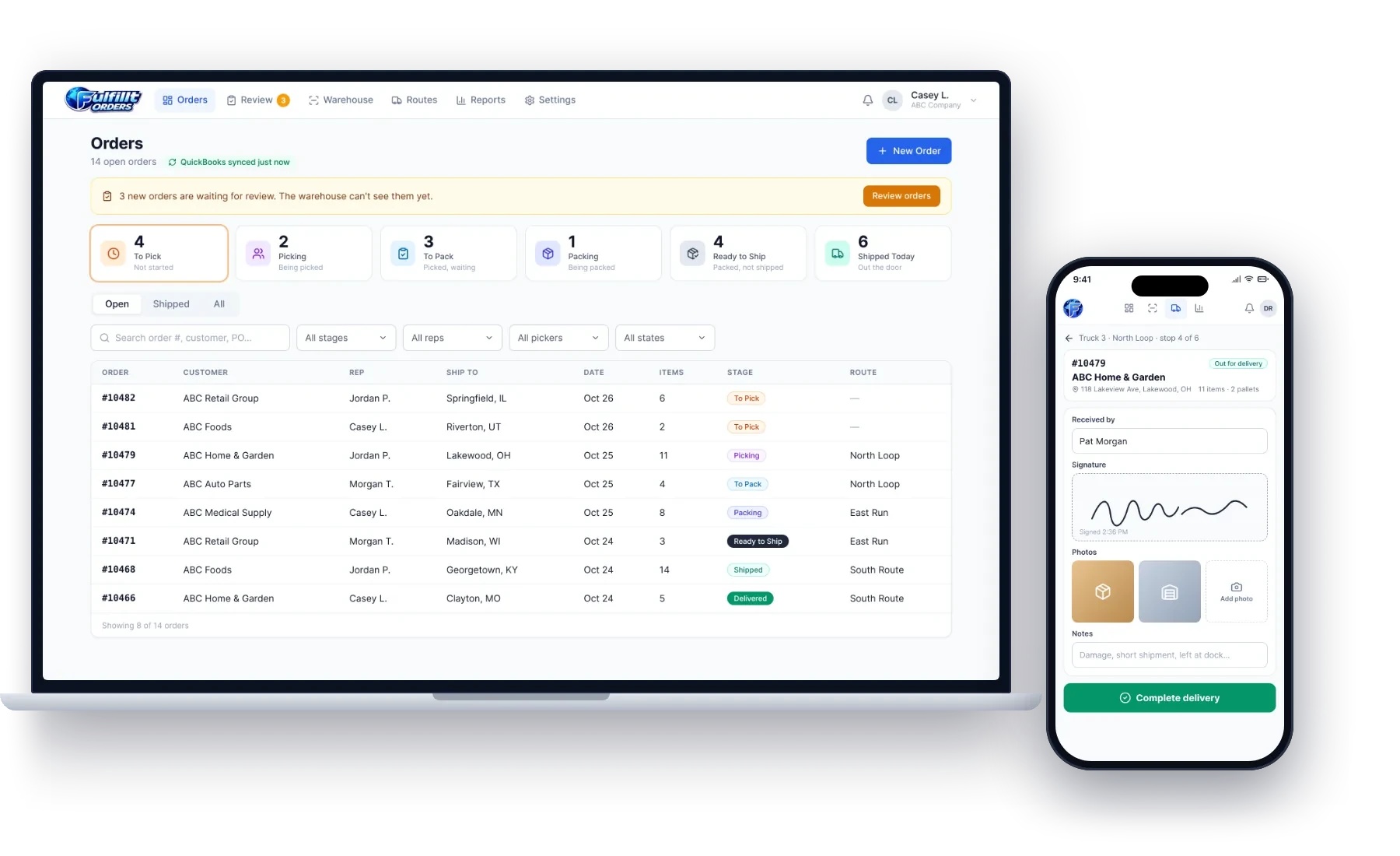
Every order, every stage, in real time
Step 1
Received
Orders flow in from QuickBooks — straight to the floor, or held for review first.
Step 2
Picking
Pickers claim orders from their queue and work from a printed or on-screen pick list.
Step 3
Packing
Packers record pallets and the staging lane, and print the packing slip.
Step 4
Shipped
Orders load onto a route and truck and go out for delivery.
Step 5
Delivered
Drivers capture a signature, photos and who received it.
See it in action
See every order from the dock to the doorstep
Shown with sample data for ABC Company.
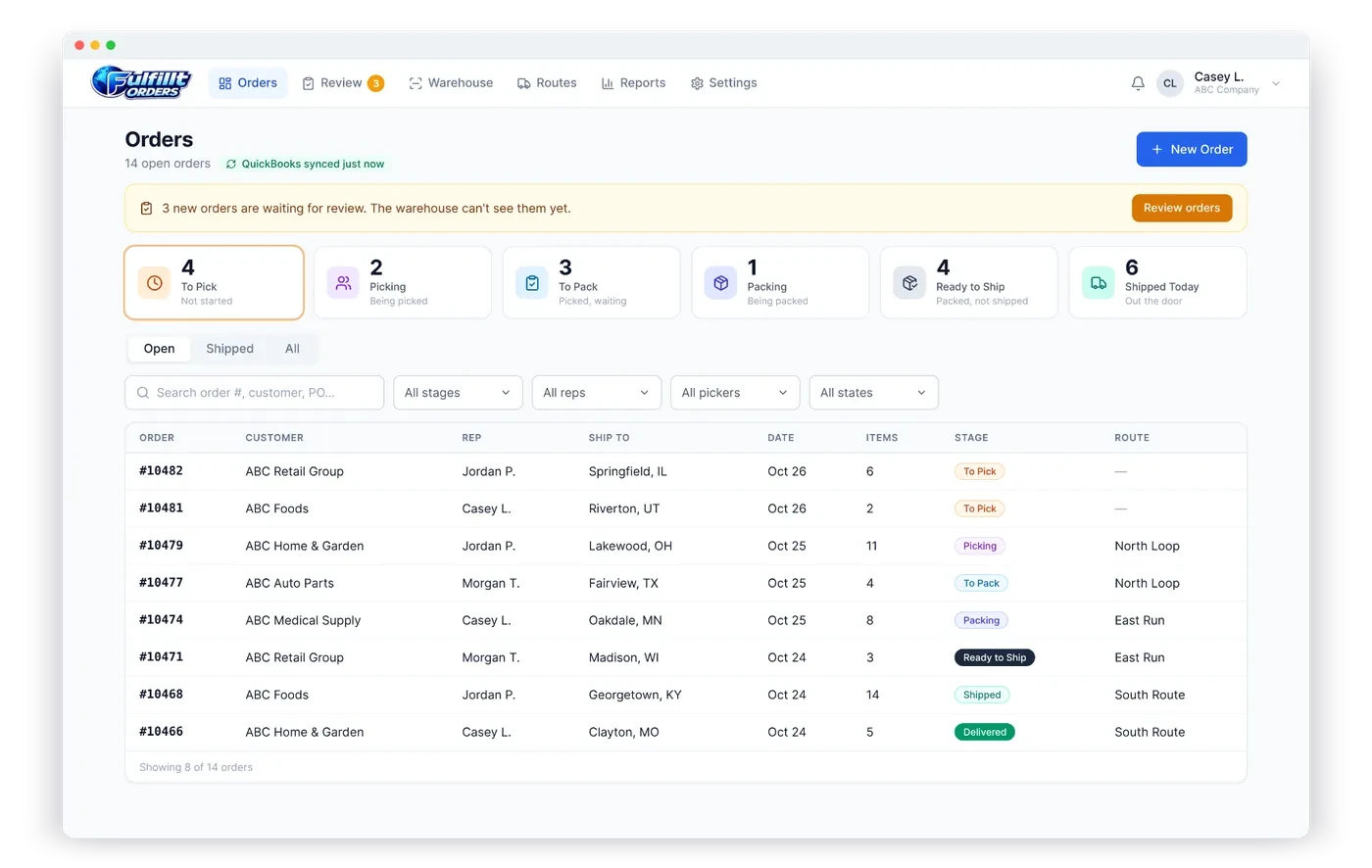
Every order, every stage, live
Received, picking, packing, ready and shipped: the whole floor on one screen, updating as people work.
- Live counts by stage
- Large orders and pallet counts at a glance
- Assign orders to pickers
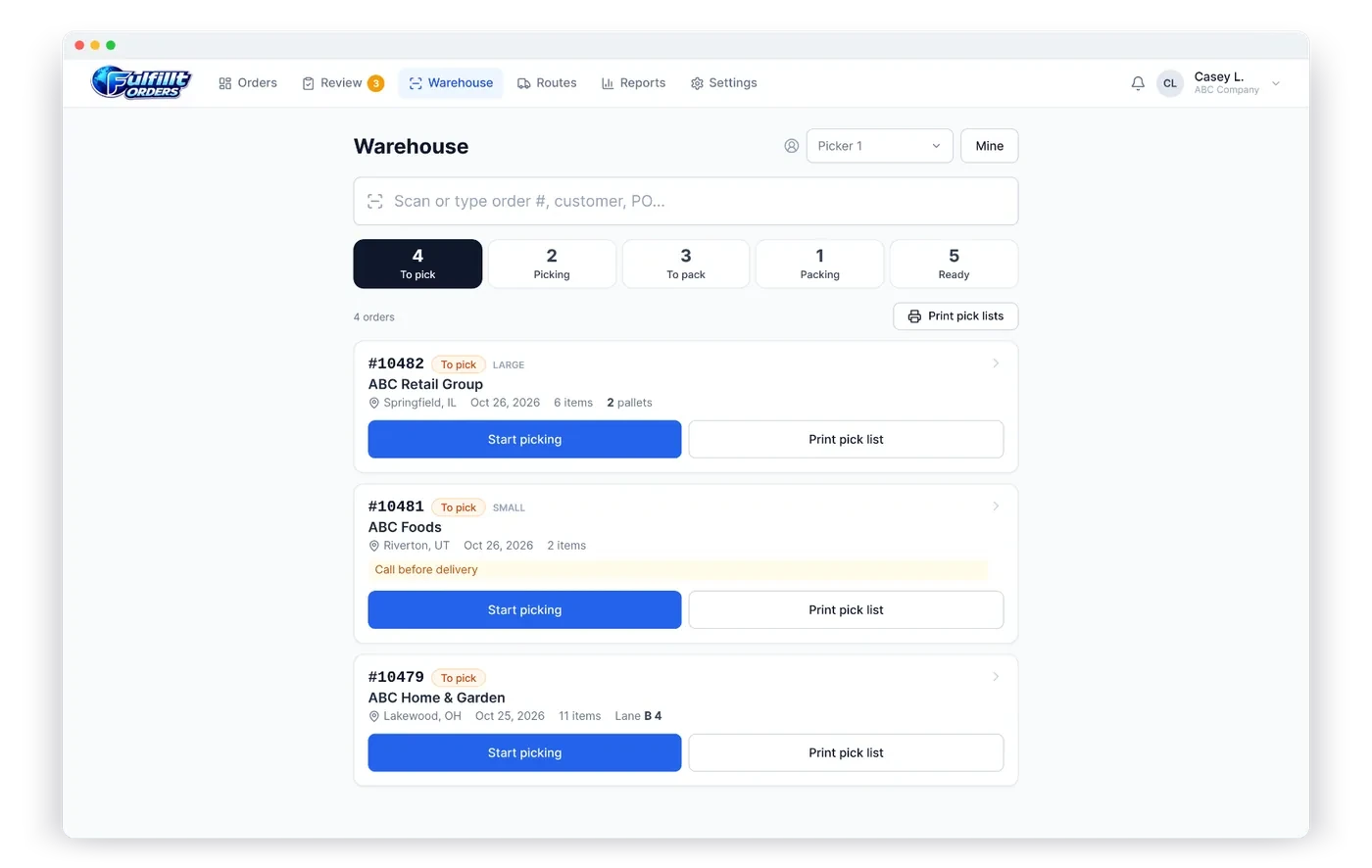
A clear queue for pickers and packers
Pickers claim the next order, work from a printed or on-screen pick list, and packers record pallets and the staging lane.
- Scan or type an order number to jump to it
- Print pick lists and packing slips
- Works on desktops, tablets, phones and handheld scanners
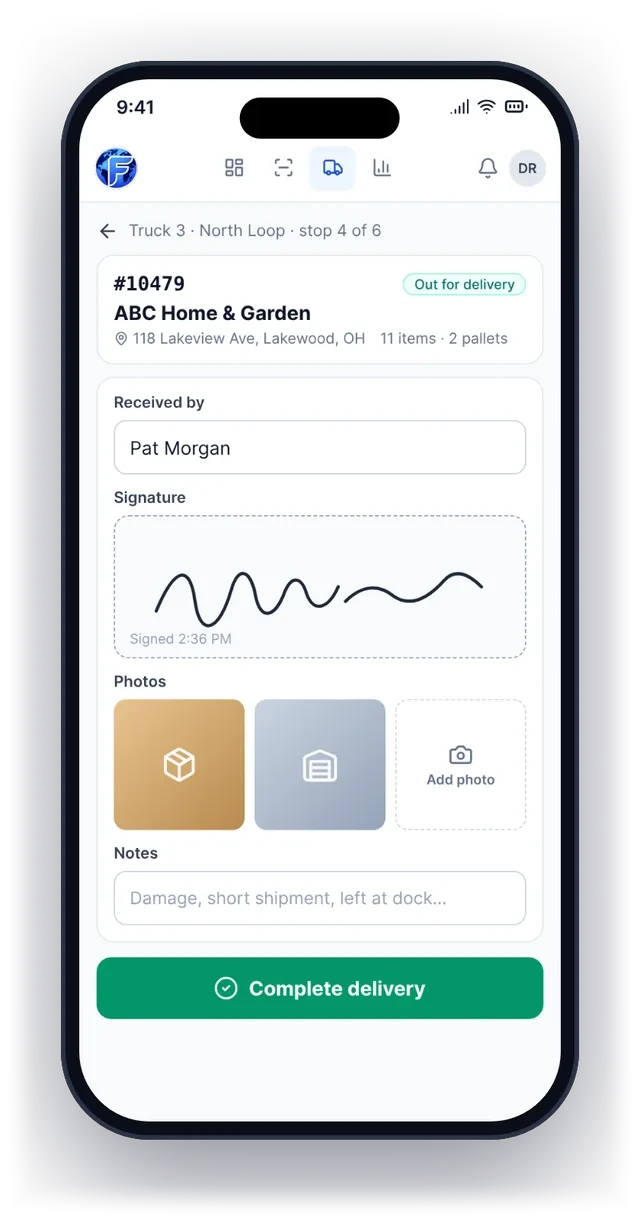
Proof of delivery on the driver’s phone
Drivers capture who received it, a signature and photos at the door, and the office sees it right away.
- Signature and photos for every stop
- Delivery notes for the office
- No more lost paper delivery receipts
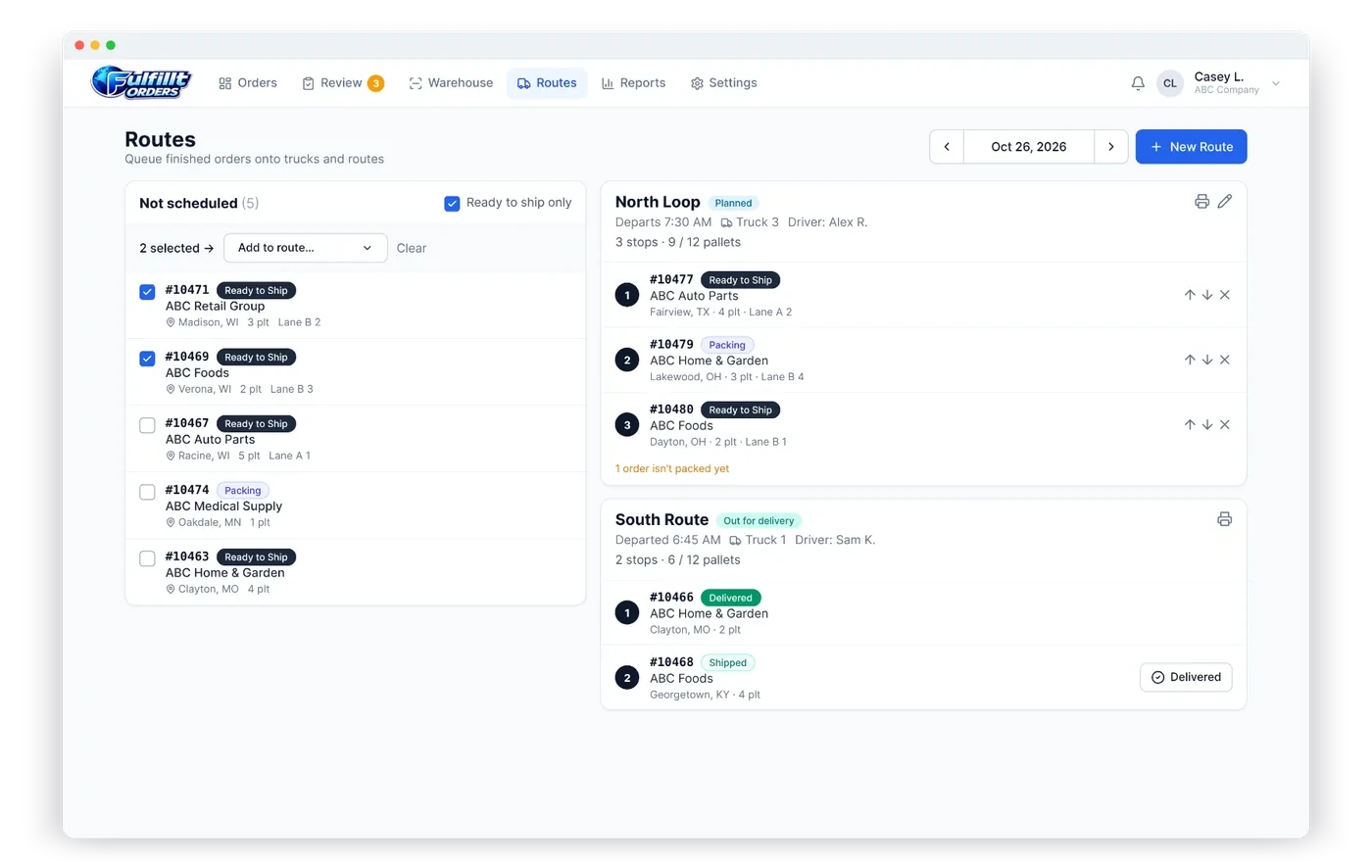
Plan routes and loads
Group ready orders into routes, assign a truck and driver, and see pallets per load before anything leaves.
- Stops in delivery order
- Pallet count vs. truck capacity
- Status from planned to delivered
Built for the warehouse, the truck and the office
Wholesale distributors, manufacturers and food & beverage suppliers ship with Fulfillt Orders.
Order intake & review
- Sales orders come in from QuickBooks Online or Desktop automatically
- Send new orders straight to the warehouse, or have an admin review and release them
- Put an order on hold with a note, and release it when it’s ready
- Enter orders by hand when you need to
Picking & packing
- Live queues: to pick, picking, to pack, packing, ready to ship
- Each picker and packer is recorded on the order with start and finish times
- Scan or type an order number to jump straight to it
- Pallet counts and staging lanes (front/back) on every order
Paperwork
- Pick lists with tick boxes for the floor
- Packing slips without prices to ship with the order
- Print from the order or straight from the warehouse queue
- Order comments and PO numbers carried onto every page
Dispatch & delivery routes
- Plan routes by day with a truck, driver and departure time
- Put orders on a route in delivery order
- Track each route: planned, loading, out for delivery, completed
- Trucks with pallet capacity and a default driver
Proof of delivery
- Signature capture on the driver’s phone
- Delivery photos and the name of who received it
- Make proof of delivery optional or required
- Delivery time recorded on the order for everyone to see
Alerts for sales and office
- Sales reps get email or text when their order is picked, packed, shipped or delivered
- The warehouse is notified of new orders
- In-app, phone and desktop notifications
- Each person picks which alerts they receive
Ready-to-invoice hand-off
- When an order ships or is delivered, billing is told it’s ready to invoice
- Or turn the QuickBooks Desktop sales order into an invoice automatically
- Orders already invoiced in QuickBooks are skipped
- Billing emails go to whoever you choose
Fulfillment reports
- Orders, lines and pallets per picker and packer
- Average pick and pack times
- Orders shipped and delivered by day
- Full order history with a timestamp at every stage
QuickBooks connected
- Works with QuickBooks Online and QuickBooks Desktop
- Sales orders, estimates or invoices come in automatically
- QuickBooks sales reps matched to your team
- No change to how you do your accounting
Unlimited warehouse and office users
Priced per warehouse, so every picker, packer, driver and office person can be on it.
Made for phones and tablets
Big, simple screens for the floor and the truck — no training manual needed.
No more phone tag
Sales and office see exactly where each order is, live, without calling the warehouse.
Works with Fulfillt Sales
Orders your reps and customers enter in Fulfillt Sales go straight to the warehouse.
Grow into Fulfillt WMS
Need bin locations, lots and cycle counts? Fulfillt WMS adds full warehouse management.
Guided setup
We connect QuickBooks and set up your warehouse, trucks and team with you.
Fulfillt Orders · Starting at
$149/warehouse/month
Unlimited warehouse staff.
Dispatch add-on
Add it to your quote
Truck routes, driver app and proof of delivery.
Also included in Fulfillt Complete. Month to month, 2 months free on annual plans.
Fulfillt Orders questions
See also Fulfillt Sales for reps and customers, and Fulfillt WMS for full warehouse management.